"Can you send me a statement of everything I owe so far?" is a request every business that invoices regularly gets, usually at the least convenient moment — end of quarter, right before a client's own audit, or when they're reconciling their books against yours. The normal answer is to stop what you're doing and generate one. BillRyt's client portal removes that step for a specific reason: the client can get it themselves, on demand, without asking you at all.
What "on-demand" actually means here
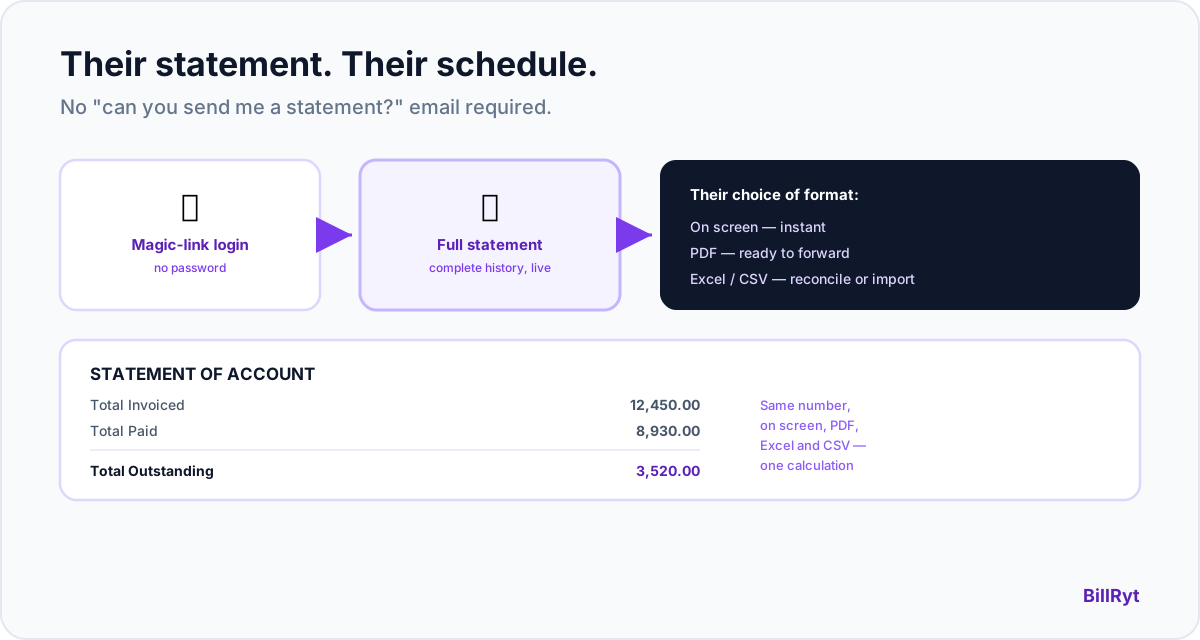
Inside the portal, your client has direct access to their own account statement — not a document you prepared and sent at some point in the past, but a live pull of their full history with you: every invoice, every payment, every credit note, computed the moment they ask for it. There's no date range to select and no "how far back do you want it" — it's the complete relationship, every time.
The same numbers, everywhere
The statement your client sees on screen in the portal is generated by the exact same underlying calculation as the PDF, Excel, and CSV versions they can download — and the same one your own workspace-side statement export uses. That single source of truth matters more than it sounds: it means a client can never see one balance on screen and a different number in the file they downloaded. If it says they owe a certain amount, that number is consistent everywhere it appears.
Three formats, their choice
Once a client is in the portal, they can view the statement on screen, or download it as a PDF (formatted, ready to forward to their own accounts team), an Excel workbook (for anyone reconciling it against their own records), or a CSV (for importing into whatever system they use). Which format they need depends on what they're doing with it — a quick on-screen check versus feeding it into their own accounting software — and BillRyt doesn't make them guess which one you're willing to generate for them.
How this is different from a statement you send
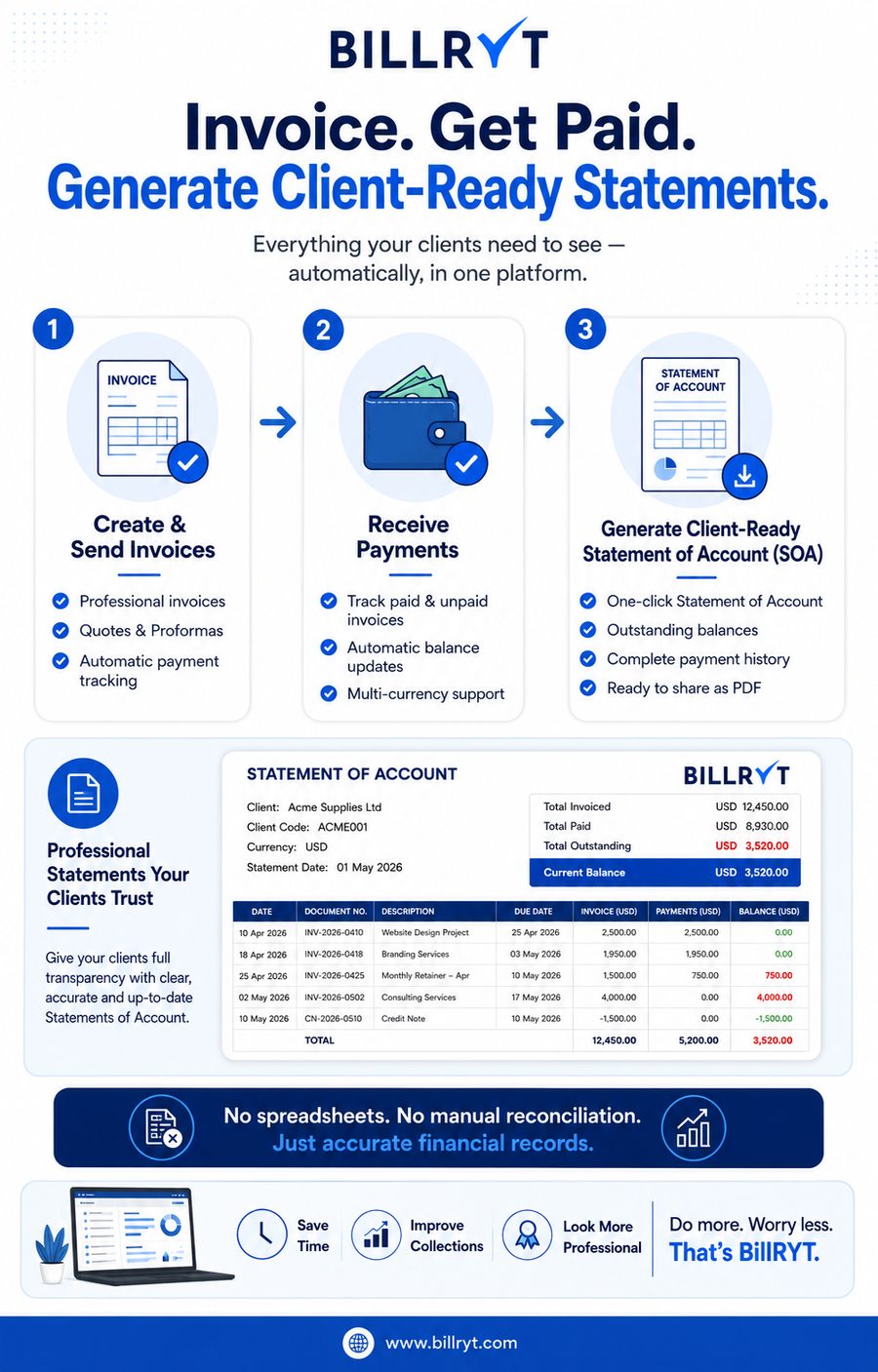
BillRyt also lets you, the workspace owner, generate and send a statement of account to a client directly — useful when you're the one initiating contact. This is the other direction: the client, logged into their own portal via a passwordless magic link, pulls their own statement whenever they want one, without waiting on you to notice the request and act on it. Neither replaces the other; they cover different moments — you pushing information out, versus a client self-serving it on their own schedule.
Why the full history, not a trailing window, matters
A statement limited to "the last 90 days" or "this quarter" forces a client to ask you separately for anything older, which defeats the point of self-service access. BillRyt's portal statement deliberately pulls the complete relationship — every invoice, payment, and credit note since the first one — because the moments clients actually reach for a statement (a year-end audit, a vendor reconciliation, a dispute over an old balance) are exactly the moments a partial record isn't good enough. There's no date picker to configure and no risk of a client assuming a shorter window is the whole picture when it isn't.
A worked example
A client's finance team is closing their books for the quarter and needs a full statement from every vendor they work with, including you. Instead of emailing you and waiting for a reply, they log into your BillRyt portal with the magic link sent to their email, open the statement view, and download it straight to Excel to reconcile against their own AP records — done in under a minute, with zero back-and-forth, at 11pm on a Sunday if that's when they're doing it.
Where this fits your plan
The client portal, including the statement view and its PDF/Excel/CSV downloads, is a Professional-plan feature ($19/month) — the same plan that includes proformas, credit notes, aging reports, and automated reminders. On Agency ($29/month), this scales to a whole team managing client relationships through the same portal, with accounting included.
The access mechanism, specifically
Getting to the statement starts the same way as any other portal visit: the client enters their email, receives a secure link, and clicks through — no password ever created. That link is a random 64-character token, stored only as a hash (not plaintext), and expires after 72 hours or one use, whichever comes first. Requesting a new link automatically invalidates any old unused one, so there's never more than one valid way in at a time. The statement itself inherits all of that security without the client needing to think about it.
Whose branding they see
When a client opens the statement, what they see is styled with your business's logo, brand colour, and name — not a generic third-party billing tool's interface. That consistency matters for a document clients sometimes forward to their own finance or audit team: it should look like it came from you, because it did, not from an unfamiliar platform they don't recognize and have to explain.
In short
A client account statement doesn't need to be something you generate on request — it can be something your client already has access to at any hour, computed live from the same source as every other export, in whatever format they actually need it in. That's a genuinely different experience from "email me and I'll send it over," and it's the specific gap this feature closes: self-service access to a document clients ask for often, at whatever hour they happen to need it, without making the asking part of the process at all.
Start free to see the document pipeline, then move to Professional ($19/month) to turn on the client portal and statement access.