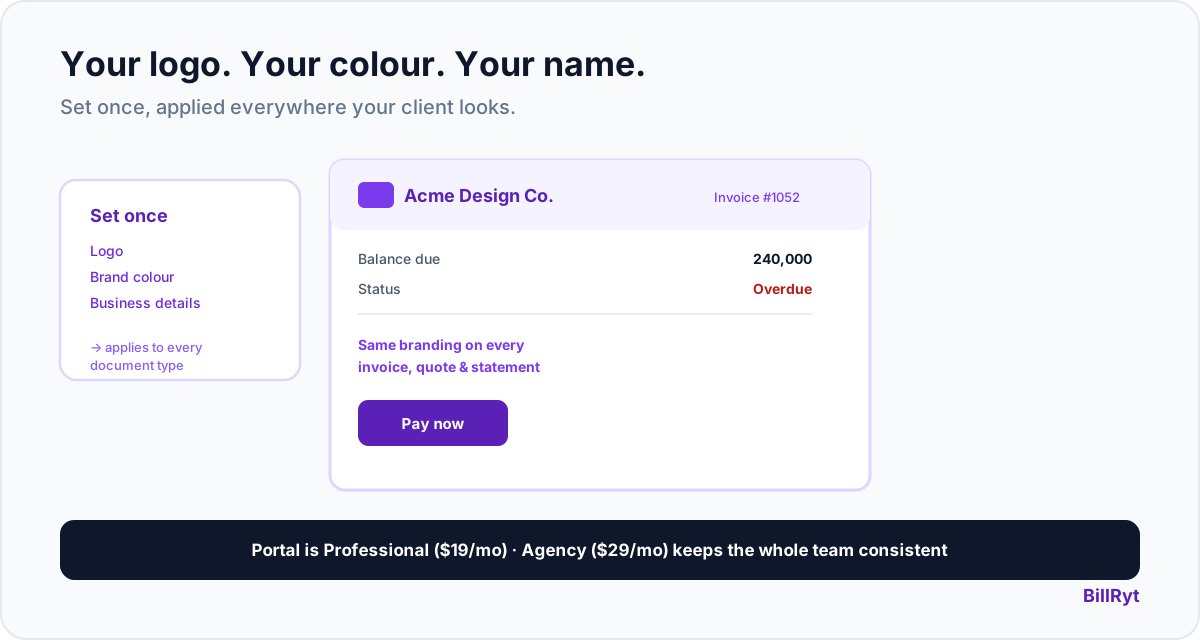
"White label" gets thrown around loosely in software marketing, so let's be precise about what BillRyt's client portal actually does: when your client opens it, the first thing they see is your logo, your brand colour, and your business name — not a BillRyt-branded experience with your details squeezed into a corner. Here is exactly what's yours, what stays consistent, and why that consistency matters more than the "white label" label itself.
What your client actually sees
Open the portal as a client and the invoice header shows your logo (if you've uploaded one) and your business name, right at the top, above the fold, before anything else. Your brand colour carries through the document itself — the invoice renders in whichever of BillRyt's ten templates you've chosen, styled with your colour, not a fixed BillRyt palette. Your address and contact details appear as your business's, because they are. The document your client is looking at is unmistakably yours.
Why "your document, consistently" beats a literal white-label promise
Some tools promise total white-labelling — a claim that can be hard to verify and often means less than it sounds. What actually matters to a client-facing agency is narrower and more concrete: does the document look like it came from you, every time, without you doing anything special to make it so? BillRyt answers yes to that specific question. The same branding — logo, colour, template — that appears on the invoice you send also appears in the portal, on the public link, and on the PDF. One source of truth for your look, applied everywhere a client encounters your documents, automatically.
A worked example
A client opens a link to check their balance before a payment run. What loads is a document headed with your agency's logo and name, styled in your brand colour, listing exactly what they owe — the same visual identity as every proposal and quote you've sent them before. Nothing about the experience signals "third-party billing tool"; it reads as an extension of working with you. That consistency is what actually earns client trust in a portal, more than any specific "white label" checkbox would.
Setting your branding once
You configure your logo, brand colour and business details once, in settings, and every invoice, quote, proforma, credit note, statement and portal view uses it from then on. There is no per-document branding step to repeat — set it up once and it is consistent across your whole document flow, for as long as you use BillRyt. If you rebrand later, updating it in one place updates everywhere it appears.
For an agency team, the consistency compounds
On the Agency plan ($29/month), up to 15 team members can each send invoices, quotes and portal links — and every one of them carries the same branding automatically, because it lives on the workspace, not on the individual sender. A client working with three different people at your agency sees one consistent visual identity across all of it, which is exactly the impression a professional agency wants to give.
Where it fits in your plan
The branded portal itself is part of the Professional-plan feature set ($19/month) — the client portal, along with proformas, statements and reminders. Agency ($29/month) adds the team layer so your whole account can send consistently-branded documents from one shared workspace, plus included accounting on top.
Why this matters more than it might seem
A client who works with an agency rarely interacts with the billing tool that agency uses by name — they interact with invoices and a portal, and whatever branding appears on those becomes part of how they perceive the agency itself. If that branding is inconsistent, or visibly belongs to a third-party tool, it introduces a small but real dissonance: the polished proposal came from your agency, but the invoice looks like it came from somewhere else. Keeping the visual identity unbroken across the whole document lifecycle — proposal, quote, invoice, portal, statement — means the client's experience of "working with your agency" never has a seam where a different brand shows through.
Setting it up takes minutes, not a project
Because branding lives in one settings screen rather than being configured per document type, turning this on is genuinely a five-minute task: upload your logo, pick your brand colour, confirm your business details, and every document type picks it up immediately — nothing to configure separately for invoices versus quotes versus the portal. Compare that to tools where branding a client-facing portal is a separate implementation project with its own settings, approval and testing cycle. For an agency evaluating how much setup time a "branded portal" actually requires before it looks right, the honest answer here is: less time than it took to read this paragraph.
The test worth applying to any "branded portal" claim
Whenever a tool advertises a branded or white-label-style portal, the useful question is narrow: open the actual document a client would see, and check whether your identity or the vendor's is the first thing visible. Some tools pass that test only on a premium tier, or only on certain document types, or only after a manual setup step per document. BillRyt's answer holds up under that specific test on every document type, set once, on the Professional plan and above — which is the concrete standard worth holding any "branded portal" claim to, including this one.
In short
A branded invoice portal, done right, means your client sees your logo, your colour and your business name the moment they open it — set once, applied consistently across every invoice, quote, statement and portal view without further effort from you. That is the concrete promise behind "white-label-style," and it is what BillRyt delivers: a document experience that reads as yours, every time, for you or your whole team.
You can start free to set your branding, then move to Professional to turn on the client portal. Set it once, and every invoice, quote and portal view your clients ever see will carry your name — never a reminder that a third-party tool sits behind the scenes.