"Which of my invoices are actually unpaid right now?" should never require opening a spreadsheet, cross-checking a bank statement, or scrolling through an inbox. It is the single most-asked question in any business that sends invoices, and it deserves a single-glance answer. Here is how automatic invoice tracking works — and the honest news that the basic version of it costs nothing.
What "automatic" should mean
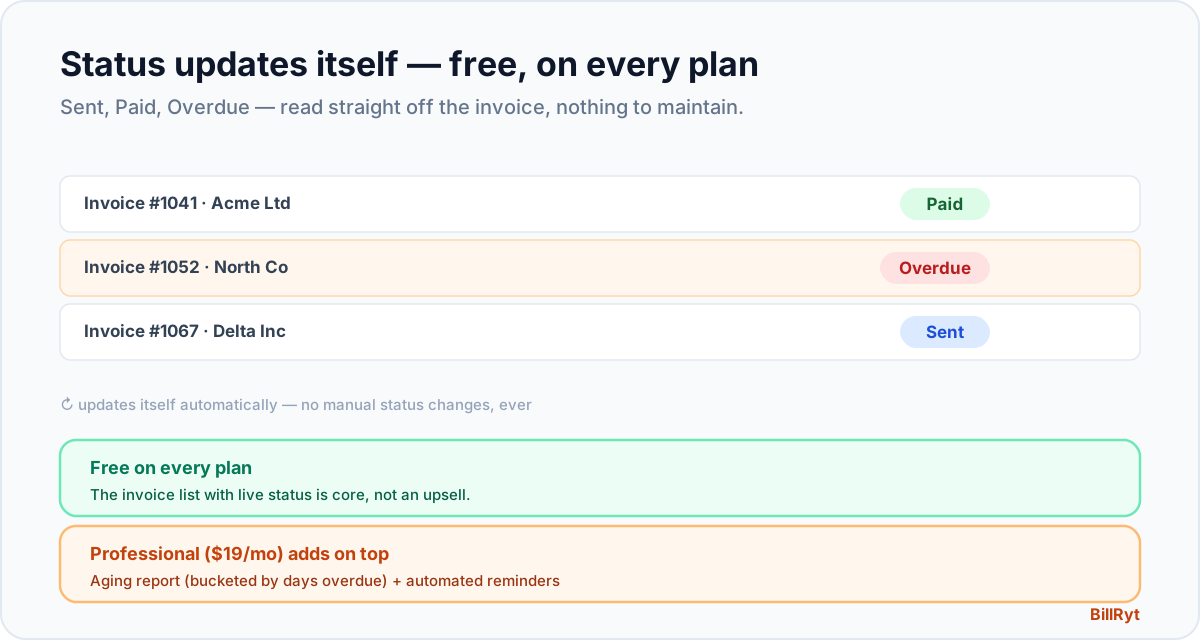
A tracked invoice does not need you to update anything. In BillRyt, every invoice carries a live status — Draft, Sent, Paid, or Overdue — and that status changes itself:
- Sent the moment you send it.
- Paid the instant a payment is recorded against it, whether you entered it manually or a client paid online.
- Overdue automatically, the day after the due date passes, with zero action from you.
You never flip a switch, tick a box, or maintain a separate list. The status on the invoice is the tracking — open your invoice list and the picture is already there, current to the second.
Why a spreadsheet fails at this job
A spreadsheet tracking unpaid invoices is only ever as current as the last time someone updated it, and updating it is a task people skip when busy — which is exactly when tracking matters most. It also duplicates information that already exists: the invoice itself already has an amount, a due date and a payment history, so a parallel tracker is a second place for that to disagree with the first. Automatic tracking removes the duplication; there is one source of truth (the invoice) and the status you see is read directly from it.
A worked example
You have twelve invoices out at once, across eight clients. Instead of a tracker, you open your invoice list and filter by status: seven show Paid, three show Sent (not yet due), and two show Overdue in red. You know instantly who to follow up with — the two overdue ones — without checking a single bank statement or asking "did that transfer land?" A new payment arrives; the matching invoice flips from Overdue to Paid on its own, and the list is accurate again with no click from you.
This is a free-plan feature
Here is the part worth saying plainly, because it often surprises people: the invoice list with live Draft/Sent/Paid/Overdue status is available on the free plan. You do not need to pay to know which of your invoices are unpaid — that basic tracking is core to BillRyt, not an upsell. What the paid plans add on top is the analysis layer: an AR aging report that buckets overdue invoices by how many days late they are (Professional, $19/month), and automatic reminders that chase overdue clients on a schedule without you sending a message. So the free plan tells you what is unpaid; Professional tells you how overdue it is and follows up for you.
Filtering and finding what matters
Tracking is only useful if you can act on it fast. BillRyt's invoice list is filterable by status, client, and date range, so "show me everything overdue from this client" or "what's still outstanding from last quarter" is a couple of clicks, not a search through your inbox. Combined with the free public link every invoice gets, you can also confirm at a glance whether a client has even opened the invoice you sent — useful context before deciding whether a nudge is a reminder or a first heads-up.
Where the paid tiers add real value
Tracking a handful of invoices by eye is easy; tracking forty is not, even with a perfect status list. That is where Professional's AR toolkit earns its $19/month: the aging report turns your unpaid invoices into a prioritised, bucketed view (current, 1–30, 31–60, 61–90, 90+ days), and automated reminders act on what it shows without you lifting a finger. The free plan's live status list is the foundation everything else builds on — accurate, automatic, and yours from day one.
What good automatic tracking should never do
It is worth being clear about what "automatic" does not mean, because a badly built version of this feature causes its own problems. It should never mark an invoice Paid without an actual payment being recorded against it — a status that lies is worse than no status at all, because it teaches you not to trust the list. It should never require you to manually flip an invoice to Overdue; if the due date has passed and no payment is on file, that status change has to be a fact the system establishes on its own, on a schedule, not a task on your to-do list. And it should never silently drop a status change during a busy period — the whole value of automatic tracking evaporates the moment you have to double-check it by hand. BillRyt's status engine runs as a scheduled job that sweeps every invoice against its due date daily, which is why "Overdue" always reflects reality rather than the last time someone remembered to look.
The habit this replaces
Before automatic tracking, the alternative habit was some version of a running list — a spreadsheet tab, a sticky note, a mental tally — updated whenever you happened to think of it. That habit fails quietly: you do not notice the tracker is stale until a client says "I already paid that" and you have to go check the bank statement to find out they are right. Automatic tracking removes the habit entirely, because there is nothing to remember to update. The invoice list is simply always correct, which means the mental overhead of "did I update my tracker?" disappears along with the tracker itself.
In short
Tracking unpaid invoices automatically means the status lives on the invoice and updates itself — Sent, Paid, Overdue — with nothing for you to maintain in parallel. BillRyt does this on the free plan, so the most basic and most-needed piece of accounts receivable costs nothing to start. When your invoice count grows past what you can track by eye, Professional's aging report and automated reminders take over the follow-up. Either way, the answer to "who owes me and is it unpaid?" is always one glance away, never a spreadsheet away.
You can start free and see your first invoices' live status the moment you send them.