Most VAT questions start from a net price and ask "what's the total?" — the reverse question is just as common and far more likely to be answered incorrectly: given a VAT-inclusive (gross) price, what was the original net amount, and how much of it was tax? Here's the correct method, and the mistake almost everyone makes first.
The formula
To back VAT out of a gross, tax-inclusive amount:
Net = Gross ÷ (1 + VAT rate) VAT = Gross − Net
That's the whole calculation. The part that trips people up is the division — not, as it feels intuitive to do, a straight percentage subtraction.
The mistake: subtracting the percentage directly
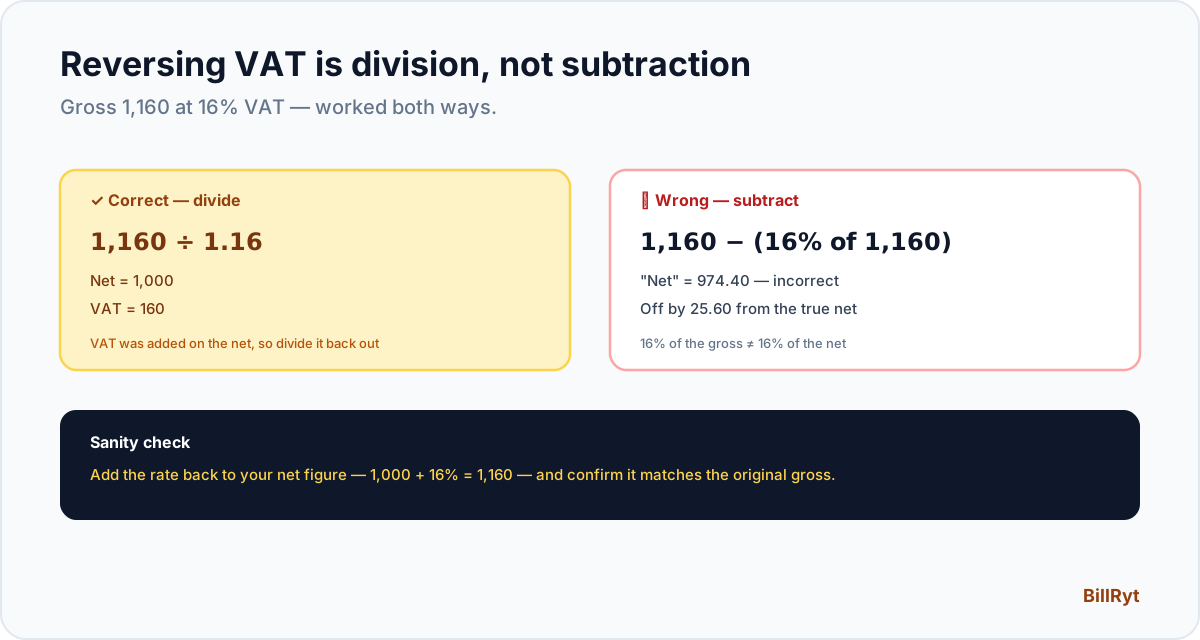
Say a price of 1,160 already includes 16% VAT. The instinctive-but-wrong approach is to subtract 16% of 1,160 (which is 185.60) to get a "net" of 974.40. This is incorrect, and the gap between 974.40 and the true net (1,000, shown below) is exactly the kind of error that quietly misstates a return if it makes it into a VAT filing.
Why the subtraction is wrong
VAT was calculated as a percentage of the net amount, then added on top — it was never a percentage of the gross. So to reverse it, you have to divide by (1 + rate), not subtract rate% of the gross. Working the correct method: 1,160 ÷ 1.16 = 1,000 net, and the VAT portion is 1,160 − 1,000 = 160. That 160 is the true VAT — not the 185.60 the subtraction method would have produced.
Worked examples at common rates
- 16% (Kenya): Gross 1,160 → Net = 1,160 ÷ 1.16 = 1,000. VAT = 160.
- 7.5% (Nigeria): Gross 1,075 → Net = 1,075 ÷ 1.075 = 1,000. VAT = 75.
- 20% (UK): Gross 1,200 → Net = 1,200 ÷ 1.20 = 1,000. VAT = 200.
- 15% (South Africa, Ghana): Gross 1,150 → Net = 1,150 ÷ 1.15 = 1,000. VAT = 150.
Notice the pattern holds regardless of the rate — always divide the gross by (1 + rate as a decimal), never subtract the rate as a percentage of the gross.
When you actually need this
Reversing VAT comes up more often than it might seem:
- A supplier quotes a VAT-inclusive price and you need the net amount for your own records or to compare against a VAT-exclusive quote from another supplier.
- Checking a receipt or invoice where only the total is shown and you need to confirm how much VAT was actually charged.
- Filing a VAT return where input VAT (tax you paid on purchases) needs to be extracted from gross receipts.
- Pricing backwards from a target retail price — if you want a product to sell at exactly 1,000 gross, you need to know the net price to set before tax.
Reversing VAT on an expense receipt
The same formula applies when you're the one holding a receipt rather than issuing an invoice — for instance, reclaiming input VAT on a business expense. A receipt showing a VAT-inclusive total of 230 at 15% VAT reverses to a net of 230 ÷ 1.15 = 200, with 30 in reclaimable VAT. Doing this correctly across a stack of expense receipts, rather than estimating, is what a proper VAT return actually requires.
Rounding at scale
For a single transaction, rounding the net or VAT figure to two decimal places makes no practical difference. Across hundreds of transactions in a VAT return, small rounding inconsistencies can compound into a figure that doesn't reconcile cleanly against your accounting records. The safer practice is to calculate each transaction's net and VAT to full precision, and only round the final totals you actually report — not round each line item as you go and then sum the rounded figures.
A quick sanity check you can always run
Whatever net figure you calculate, add the VAT rate back on top and confirm you land back on the original gross. 1,000 + 16% = 1,160 — if that doesn't match the gross you started with, the reverse calculation was done wrong somewhere.
Try the free calculator
Doing this by hand is easy to get wrong under time pressure, which is exactly why BillRyt's free VAT calculator includes a dedicated "Remove VAT" mode — enter the VAT-inclusive amount and any rate, and it returns the exact net figure and VAT portion instantly, with country presets for Nigeria, Kenya, South Africa, Ghana, Uganda, the UK, and the EU.
Zero-rated and exempt items: the formula doesn't apply
Not every gross amount actually contains VAT. Zero-rated supplies (taxed at 0%) and exempt supplies (outside the VAT system entirely) mean the "gross" figure already equals the net figure — there's no VAT to reverse out. Before applying the reverse VAT formula to a receipt or invoice, confirm VAT was actually charged at a standard or reduced rate; applying the formula to an already-net, zero-rated amount would incorrectly imply VAT that was never charged in the first place.
When a transaction mixes VAT rates
A single receipt sometimes mixes a standard-rated item with a reduced-rate or zero-rated one on the same total. In that case, the reverse VAT formula has to be applied separately to each rate's portion of the gross total, not to the combined figure at a single blended rate — otherwise you'll misstate the net and VAT for both items. If a receipt doesn't break the total down by rate, ask the issuer for an itemised version before relying on a single reverse calculation across the whole amount.
In short
Reversing VAT is a division, not a subtraction — divide the gross by (1 + the rate as a decimal) to get the net, then subtract to find the VAT portion. Get this one rule right and every "what was the net on this receipt" question becomes a ten-second calculation instead of a guess.